CalAround

Your work calendar, without the work computer.

Your employer locks down the laptop and blocks the sync. So take a photo of Outlook instead. CalAround reads the meetings off it, shows you exactly what it proposes to change, and writes nothing until you agree.

TestFlight beta opening soon — the join link lands here first.

CalAround's change review for 24–28 August: one event added, one changed, one removed, with a red conflict warning that Dr. Patel annual checkup at Thursday 2:00 PM overlaps Roadmap workshop by one hour.

You read the diff. Then it writes.

A photo of a calendar is a guess, and a guess should never touch your calendar unsupervised. So CalAround does what a good tool does with an uncertain input: it shows its work and waits.

Change review

Every change is a row you can refuse

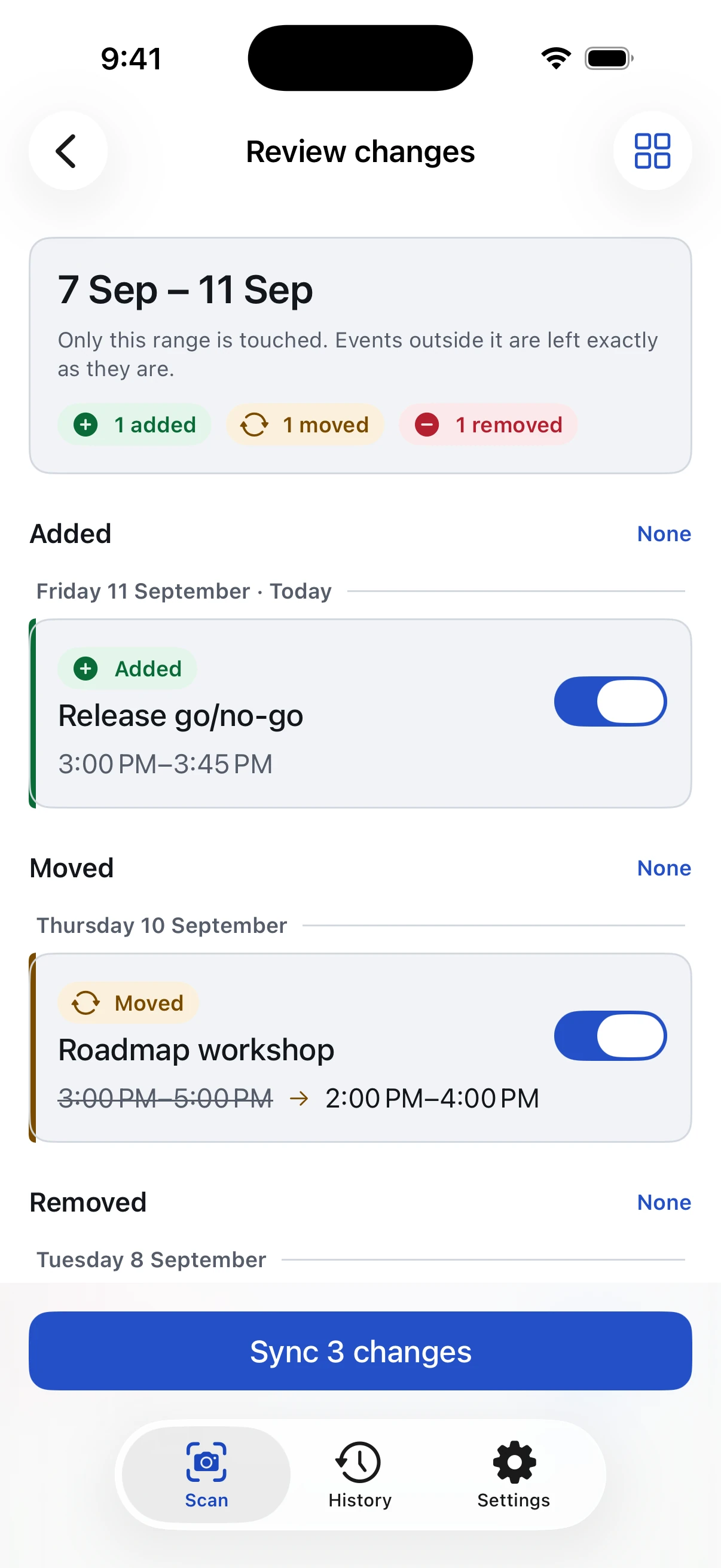
Added, changed, removed — each one toggleable, each one tappable to correct. A meeting that moved shows before → after rather than vanishing and reappearing, so you can see it's the same meeting at a new time.

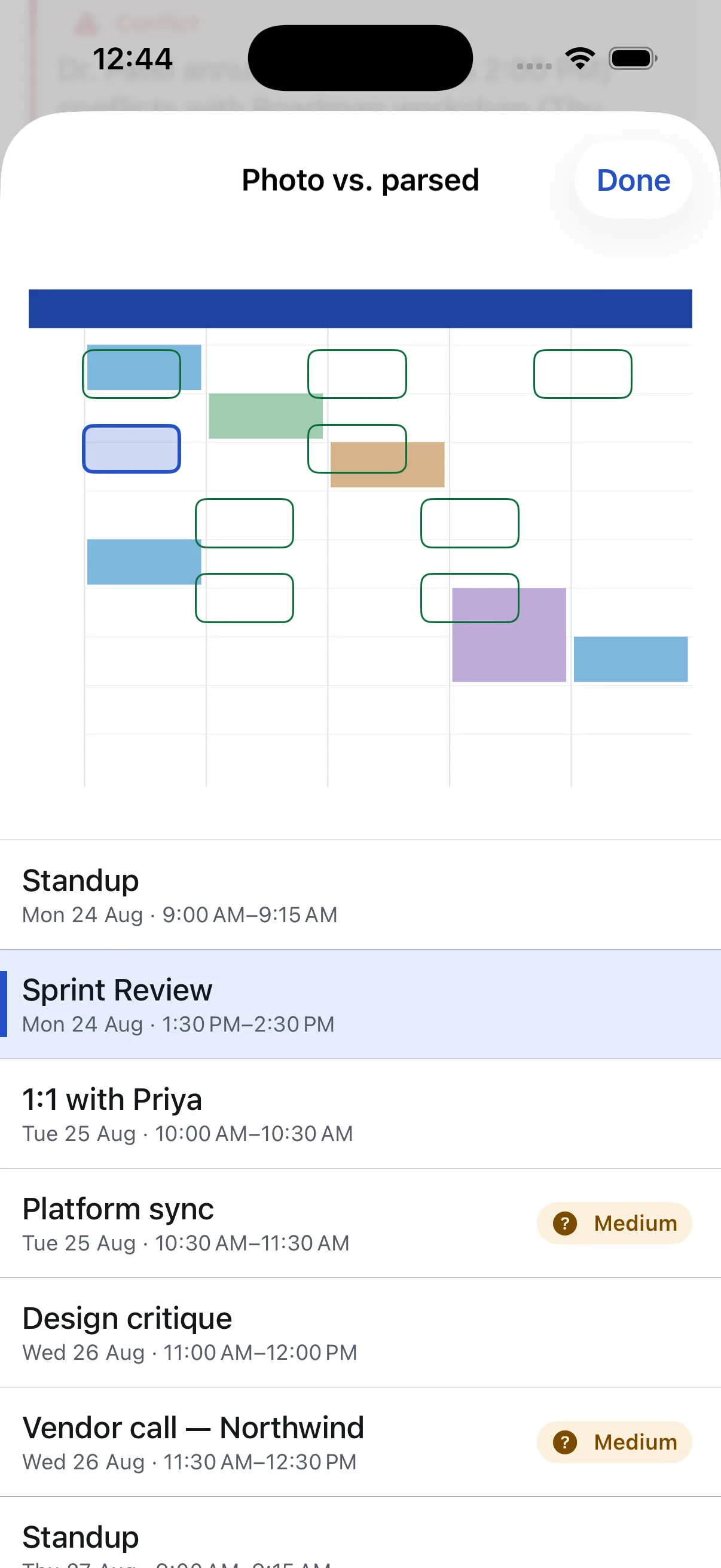
Anything the reader wasn't sure of is marked Unverified and sorted to the top, next to the region of the photo it came from. Nothing reaches your calendar until you tap Sync.

  • Low-confidence reads surface first, not buried at the bottom
  • Tap any row to fix a misread time or title before it lands
  • Every sync is recorded, and every sync can be undone
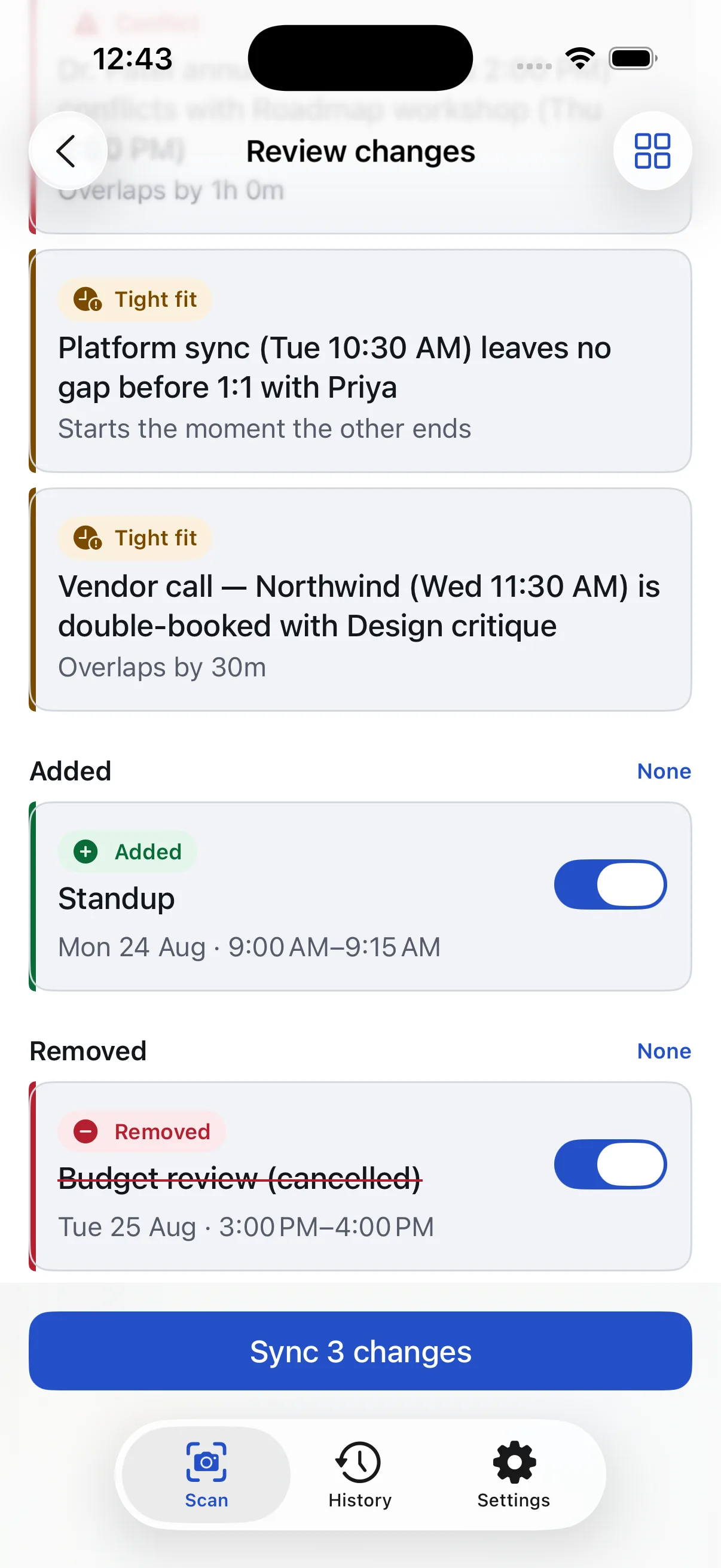
The review list showing an Added row for Standup on Monday 9:00 AM and a Removed row striking through Budget review (cancelled) on Tuesday, each with its own toggle.

Conflicts

It tells you what clashes. It doesn't stop you.

Work meetings that land on top of a personal appointment are flagged in red. Meetings that leave no gap, or double-book each other the way Outlook renders split columns, are flagged in amber.

None of it blocks the sync. Your work calendar is what it is — the flag is the product, not a gate. Severity is never colour alone: every flag carries an icon and a label too.

  • Checks against every calendar you have, not just the scanned one
  • Optionally keeps watching, and tells you when a personal event creates a new clash
  • An all-day banner doesn't flag every meeting underneath it
The week grid preview: incoming events outlined in dashed green, a removed event struck through in red, and conflicted blocks covered in diagonal stripes, with a legend reading Staying, Incoming, Leaving, Conflict.

Four steps, and a way back from all of them

Read this as a diff, because that's what the app is. Each step below is one change to the state of your calendar — and the last one undoes the rest.

Photograph the week

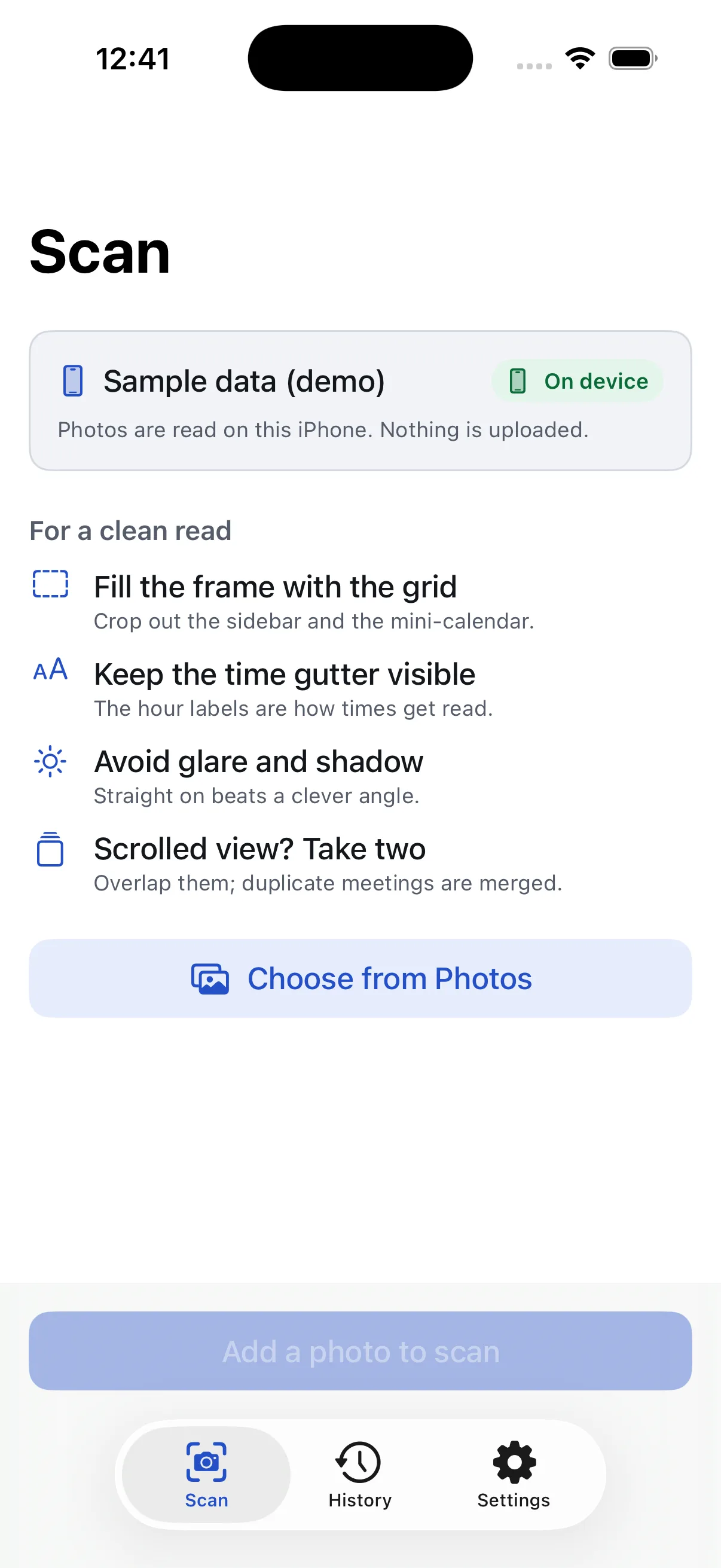
Camera or Photos, one shot or several for a scrolled view. Overlapping captures are merged rather than duplicated. Your calendar is untouched at this point — nothing has happened yet.

It reads the grid

Titles, start and end times, all-day banners, and the side-by-side columns Outlook uses for double-bookings. It also reports the date range it could actually see — which becomes the boundary for everything that follows.

You approve the changes

Compared against what CalAround synced last time, inside that boundary only. Toggle off anything you don't want. Pin an event and no future scan will ever touch it. See the review screen.

And you can take it all back

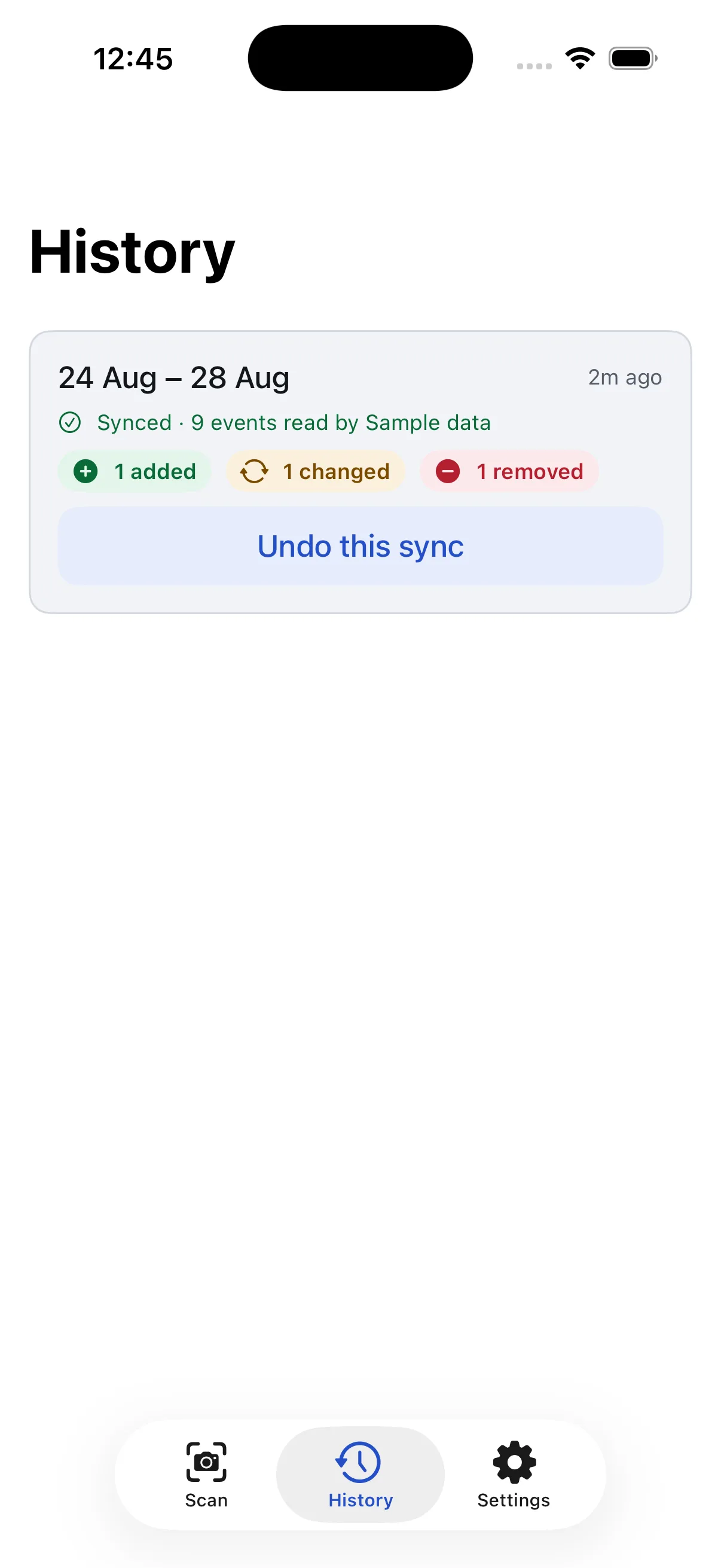
Every sync is recorded with its inverse. Undo this sync deletes what it added, restores what it changed, and puts back what it removed — even days later, on a different launch.

The limits are the feature

An app that writes to your calendar should be boring and predictable about it. These aren't settings — they're guarantees, enforced in code and covered by tests.

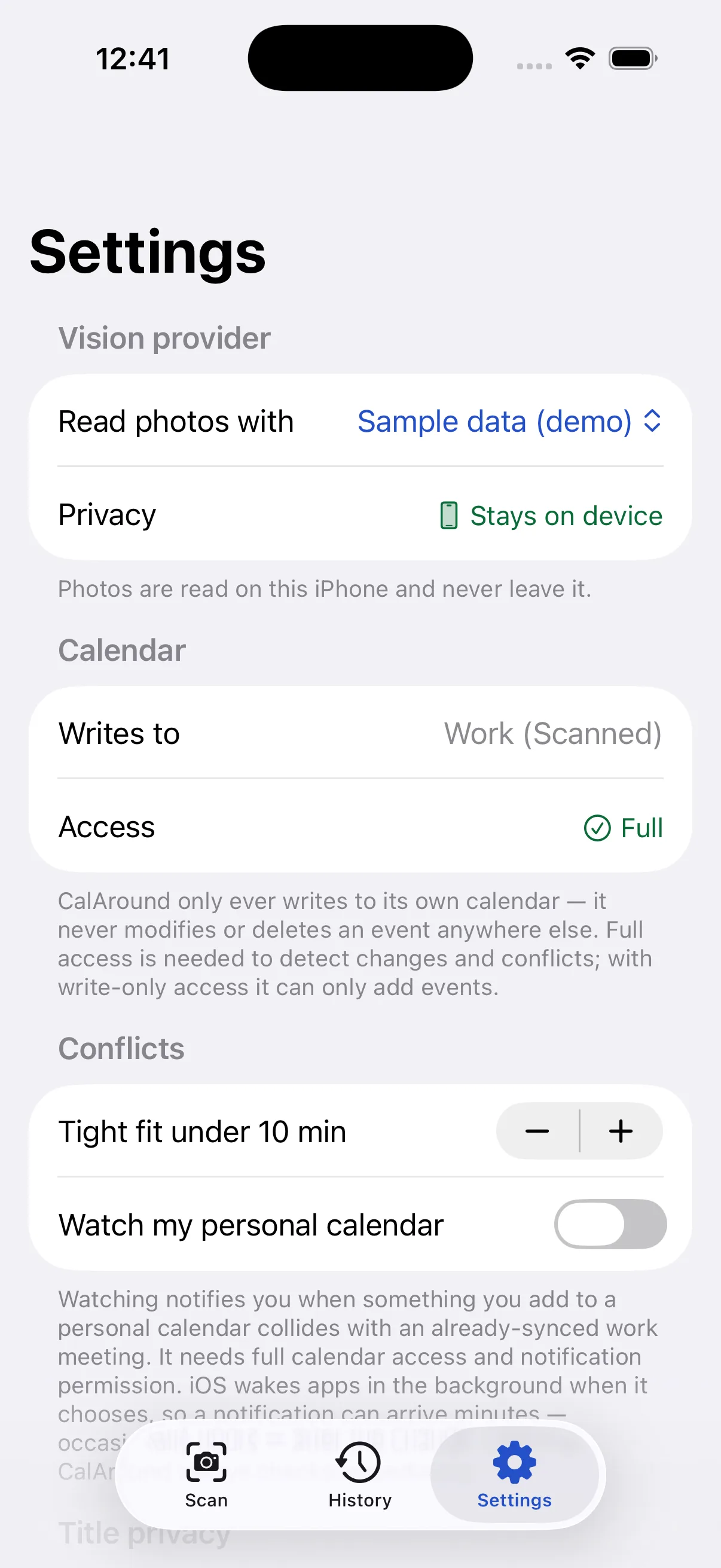
  • One calendar. CalAround creates and writes to Work (Scanned), and never modifies or deletes an event on any other calendar. Hide it, share it, or delete the whole thing in one tap.
  • One date range. Only the span the photo actually showed. A meeting one day outside it is invisible to the app — it cannot be changed or removed.
  • Your edits win. Pin an event and scans leave it alone. If a later scan disagrees, CalAround says so rather than overwriting you.
  • No account. No sign-up, no server of ours, nothing to breach. Scans stay on your iPhone.
The History screen showing a sync of 24–28 August that added one event, changed one, and removed one, with an Undo this sync button.

You choose who sees the picture

A photo of your work calendar is sensitive — it's your colleagues' names and your employer's business. CalAround names the reader on every screen where it matters, and the choice is yours. The full detail is on the privacy page.

Leaves your device

Claude

The photo is sent to Anthropic's API to be read, and the events come back. It is not stored by CalAround afterwards, and you supply your own API key.

Available now

Stays on device

Apple Intelligence

The same reading, done on your iPhone. Nothing is uploaded and no key is needed. This will become the default once it ships.

Arriving with iOS 27

Reads nothing

Sample data

A fixed demo week, so you can try the review, grid, and conflict screens end to end before deciding whether to trust it with a real photo.

Available now

Three more screens worth knowing about